All Sites Directory
If your organization has just one site, you land straight on its Site Overview. With more than one, you land here first — a directory of every site you manage.
What you'll see
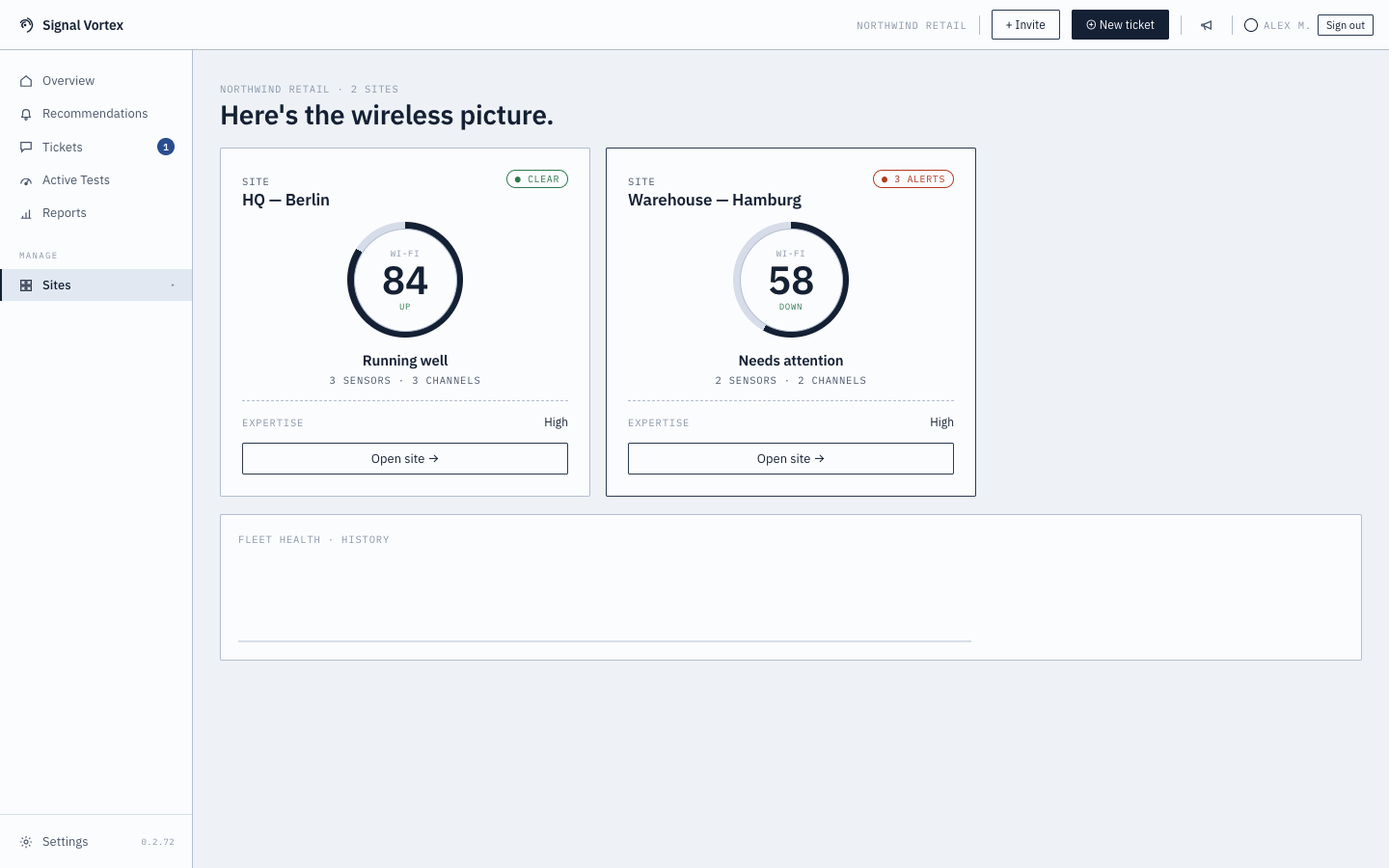
- One card per site: a health ring, its current mood ("clear" / a specific count of alerts), sensor and channel counts, and your expertise level for that site.
- A site with no recent sensor data shows an offline state instead ("no data in the last hour") rather than a misleading score.
- An "Open site →" button on each card, taking you into that site's Site Overview.
- A fleet health history chart at the bottom, showing the trend across your whole fleet over time, not just one site.
Why it matters
Managing several locations shouldn't mean checking each one individually just to know where to look first — this page puts every site's health in one glance, so a problem site stands out immediately instead of being buried in a list you have to click through one at a time.