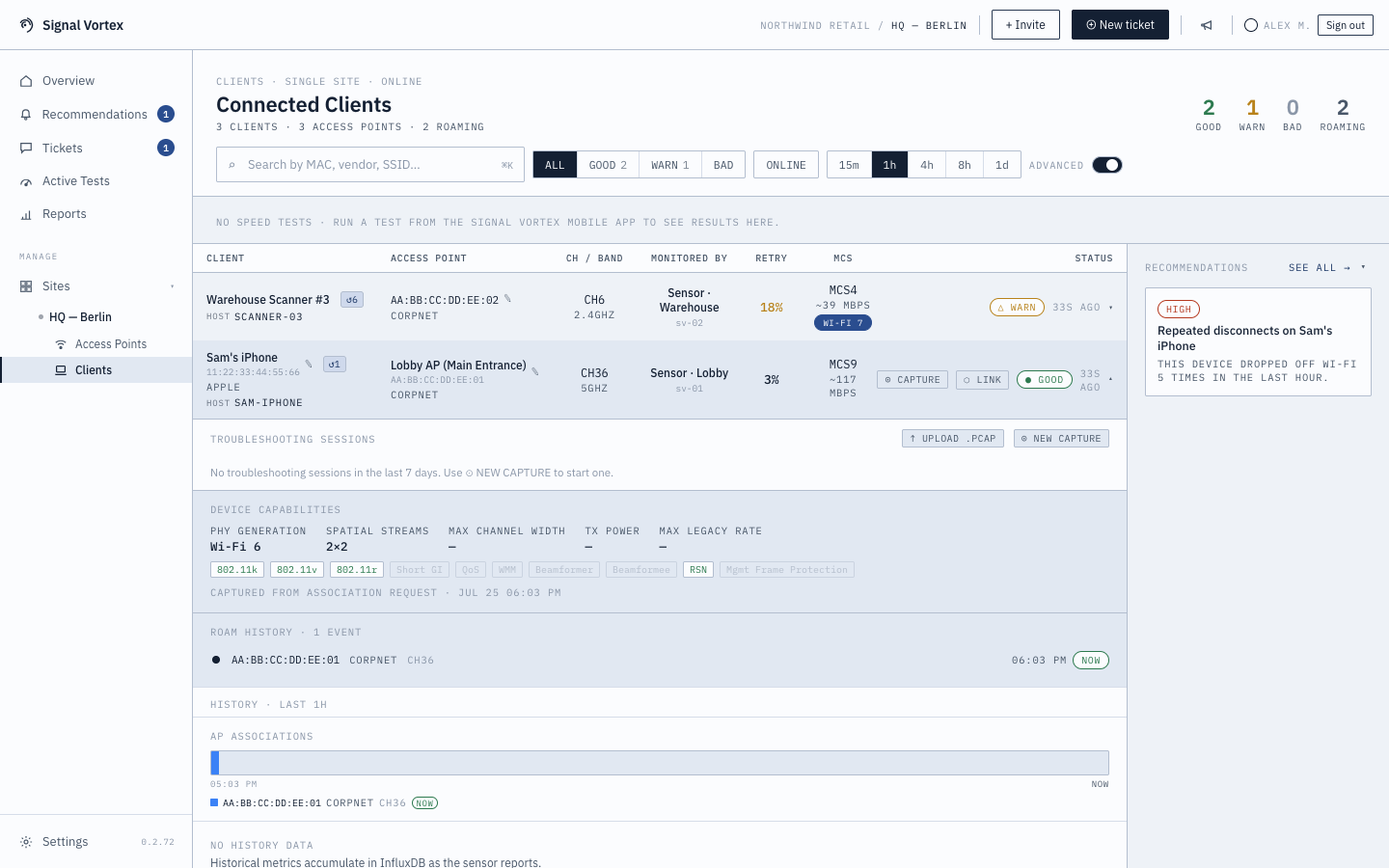
Device Capabilities
Each client has a capability card showing what its Wi-Fi radio actually supports, recorded the same way as the AP-side Network Capability Details — from real association/reassociation frames, not guesswork.
What you'll see
- PHY generation, spatial streams, channel width, 802.11k/v/r support.
- Supported/mandatory rates, WMM parameters, RSN/MFP status, beamforming support, max A-MPDU length, and Tx-power/channel allowances — the same fields as the AP panel, from the device's point of view.
This same card is reused in Client Capability Profiling under Active Tests.
If a device's recorded capabilities look stale or wrong (e.g. after a firmware update changes what it supports), an Admin can reset them from Settings → Device Data (see Organization and Sites) so they're recaptured on the device's next association.
Why it matters
Not every "slow Wi-Fi" complaint is the network's fault — sometimes the device itself is old, or its driver is negotiating a lower rate than the AP could offer. This panel shows you the device's actual ceiling.