The Health Score
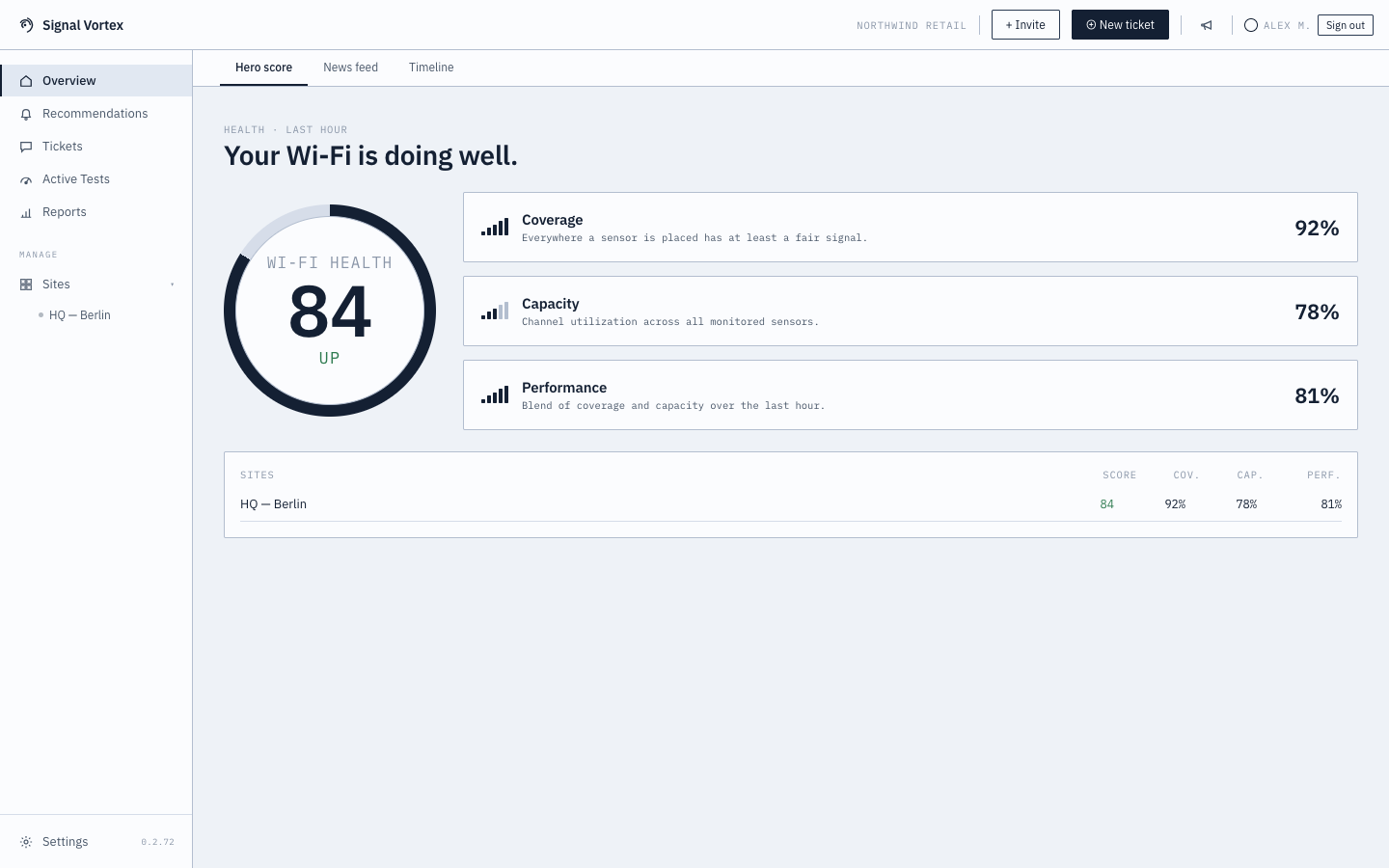
The Overview screen's main tab gives you a single, at-a-glance answer to "how's the Wi-Fi doing?"
What you'll see
- A score ring from 0–100, with a trend indicator (improving/declining vs. recent history).
- Three KPI bars breaking the score down into:
- Coverage — are clients getting good signal everywhere they should?
- Capacity — is there enough room/bandwidth for how many devices are connected?
- Performance — are connections actually fast and stable?
- An all-sites table if you manage more than one site, each with its own score and coverage/capacity/performance percentages, and an "offline" tag if a site's sensors have stopped reporting data.
Why it matters
This is the fastest way to notice a problem before anyone complains about it. A dropping trend or a site flagged offline is worth a look in Health Timeline or the Recommendations Inbox.