Creating a Ticket
A ticket is a support conversation with Signal Vortex engineers about a specific Wi-Fi problem. There are two ways to create one.
Option 1: the technical wizard
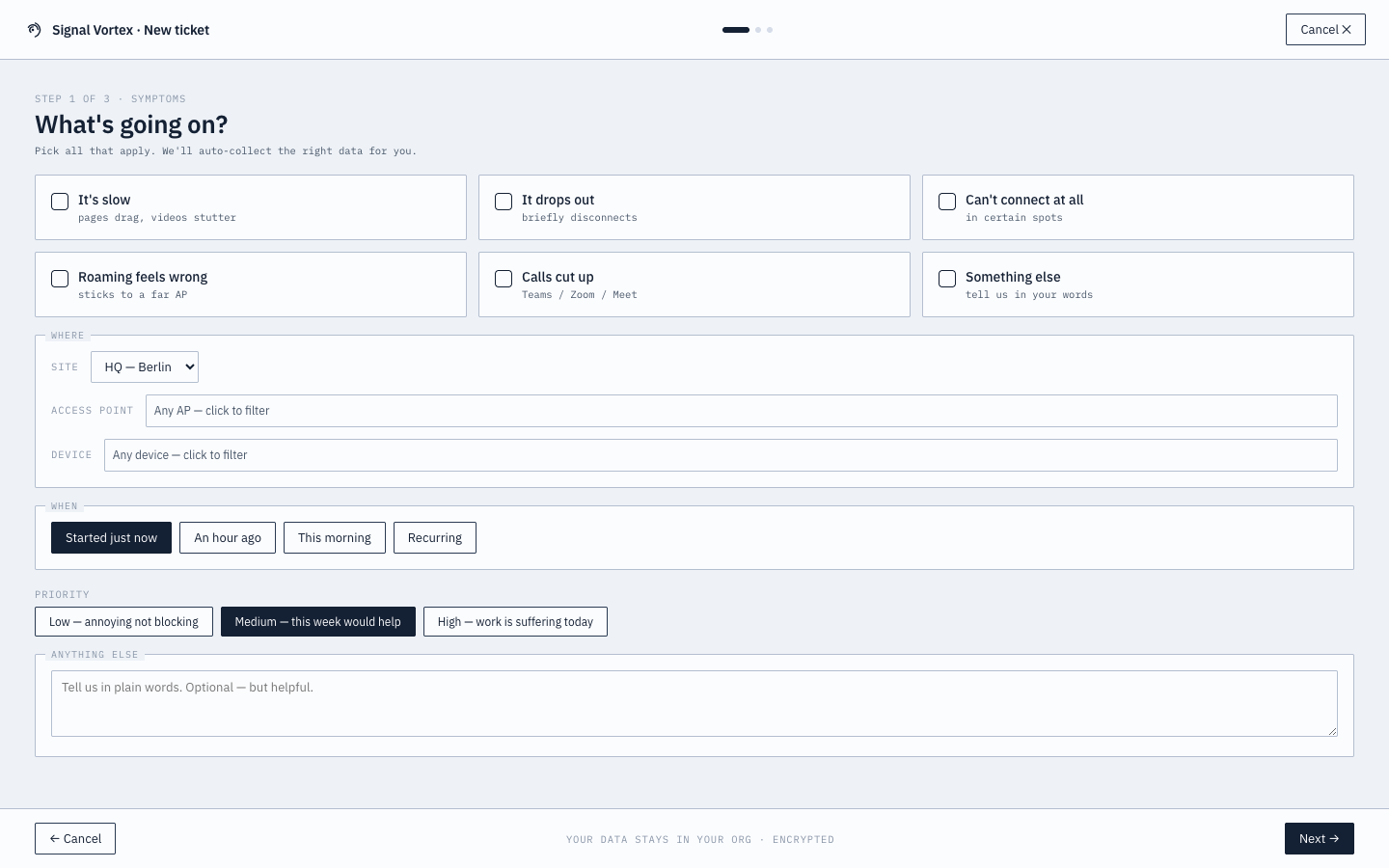
Available from the "New ticket" button in the top bar, or triggered from a recommendation:
- Pick a symptom from a list of common issue types.
- Review auto-collected context — the system gathers relevant technical details automatically; you can toggle sharing on/off per field, and there's an explicit consent checkbox to allow Signal Vortex API access to your data for this ticket.
- Preview and confirm.
Submitting automatically triggers a focused capture targeted at the AP(s)/client(s)/site you selected via a searchable multi-select, so engineers have real evidence from the start.
Option 2: the simplified form
Triggered directly from a bad health-score alert (see Simplified Health View) — a single, non-technical form that auto-fills the technical details for you. This is the only path Basic-tier users need.
Why it matters
Every ticket starts with real diagnostic data already attached, instead of a back-and-forth of "can you send me a screenshot" — you explicitly control what's shared before it goes anywhere.