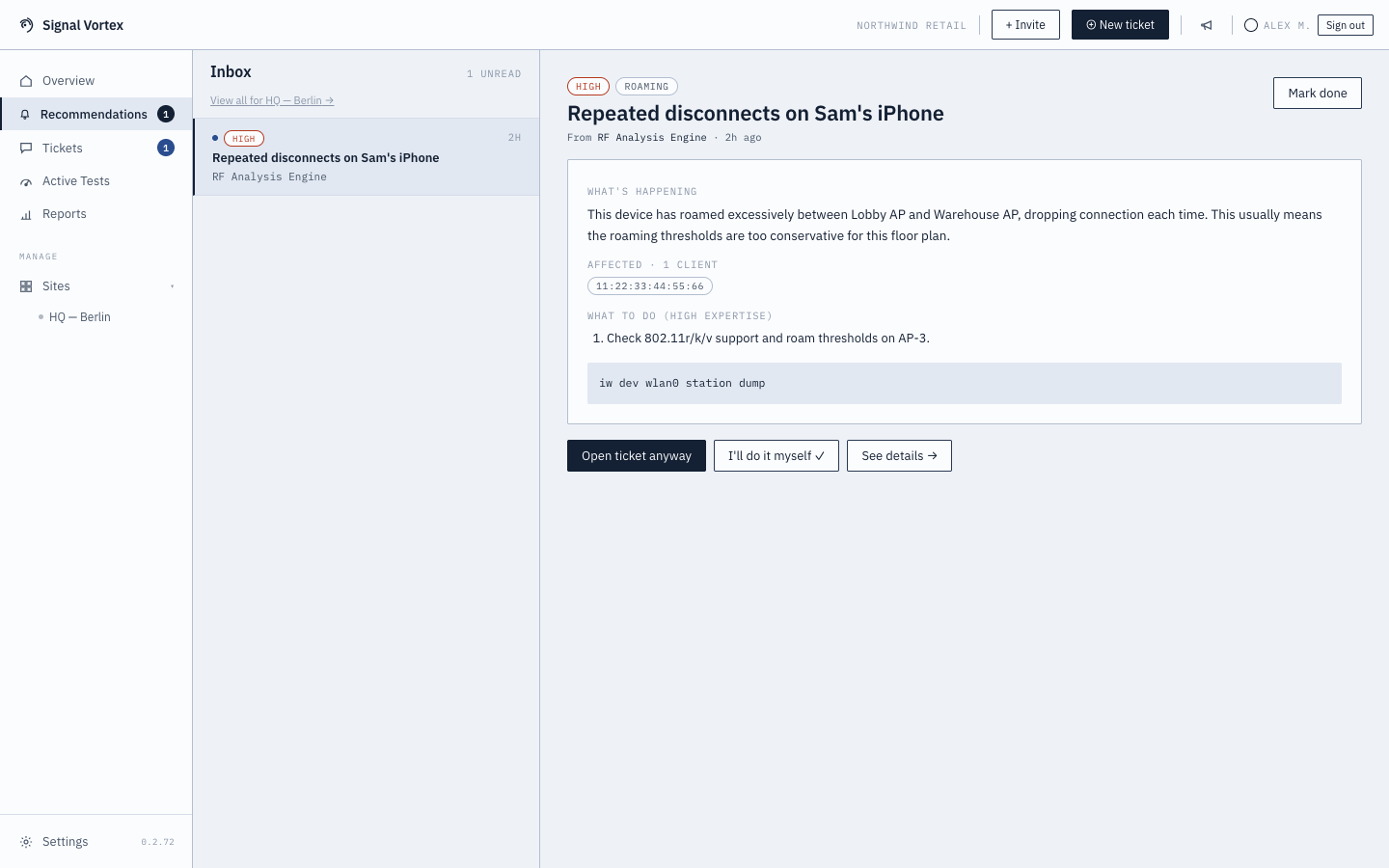
Recommendations Inbox
The Inbox is where the system tells you something, instead of you having to go looking — recommendations are generated automatically from ongoing health analysis of your sites.
What you'll see
- A list of recommendations, each with a priority (low/medium/high), a title, a preview, tags, and the specific device(s) affected. High-priority items may be flagged as needing Signal Vortex's attention.
- Global inbox — unread items across all your sites, with a link into full per-site history.
- Per-site Recommendations tab — filterable by Unread / All / Done.
- Opening an item shows full detail, with steps tailored to your expertise level — plus an optional CLI snippet if you're at the High expertise level.
- Some recommendations look ahead. For example, Room Capacity Predicted to Suffer appears when a room with an environmental sensor is on course to overload its access points within about half an hour (see Environment Overview).
- A condition that clears up on its own closes itself — you're only asked to acknowledge one if the same issue keeps coming back.
What you can do with an item
- Mark done — dismiss it once resolved or acknowledged.
- Open a ticket — jumps into ticket creation, pre-filled with the recommendation's context, symptoms, and affected devices.
- See details — jumps to the Dashboard or Clients screen, filtered to the affected device(s).
Why it matters
Rather than requiring you to constantly check the health score, this is the "tell me when something needs attention" channel — you'll always know if there's an open recommendation via the badge count in the main nav.