Live Monitor Sessions
Some problems don't happen on demand — they show up once every couple of hours, or only when you're not looking. A Monitor session is built for exactly that: a long, unattended background capture you review and curate afterward.
How it works
- Start a session scoped to a client, an AP, or the whole site — it records 10-minute intervals for up to 8 hours (48 intervals max).
- Starting a session pauses that sensor's scheduled channel scans; if the sensor is battery-powered, you'll see a warning about the extra drain.
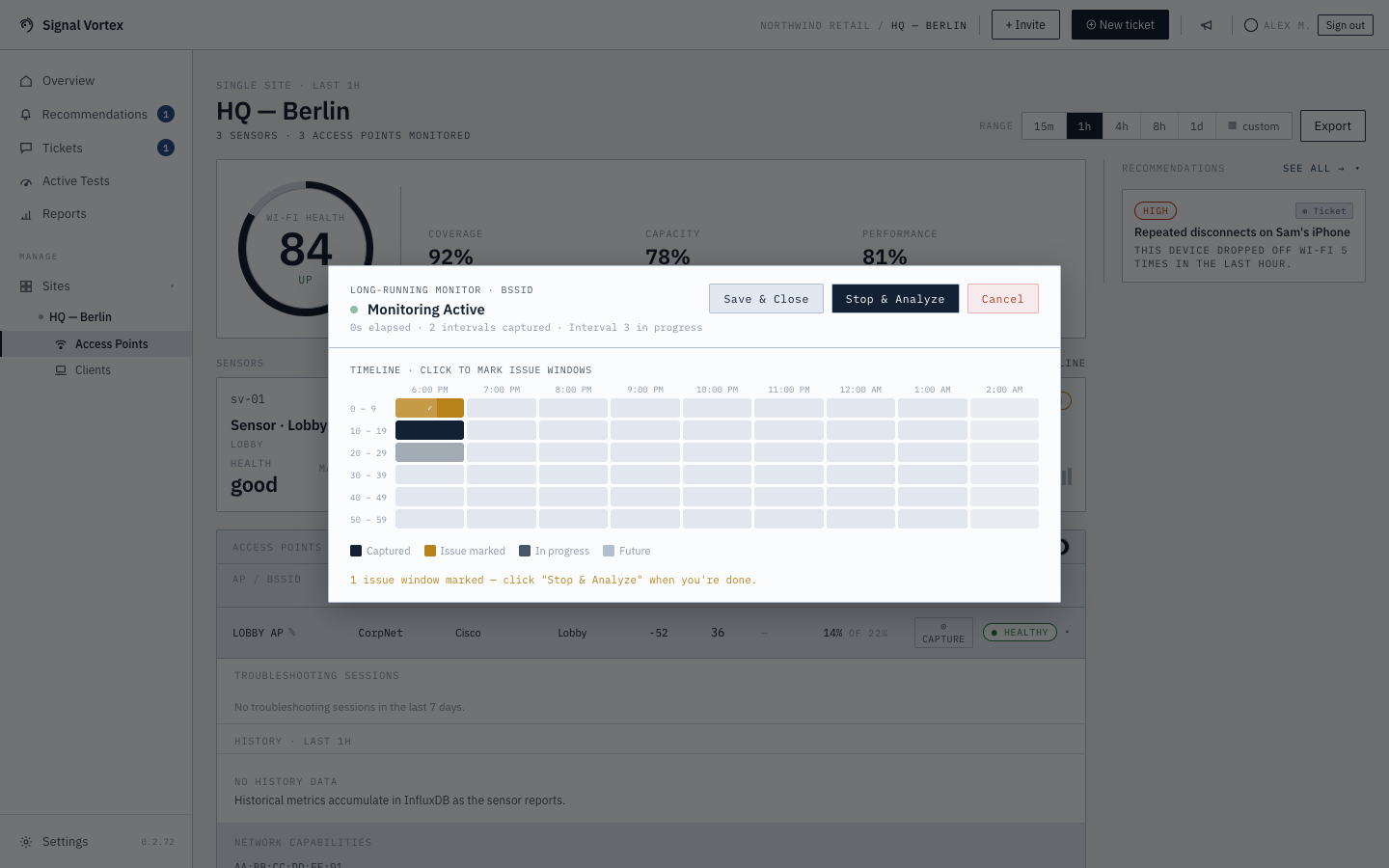
- While it runs, a clock-aligned grid shows each 10-minute interval lined up to the actual time of day, so you can tell "the issue happened around 3:40pm" at a glance.
- As problems occur, click the interval(s) on the timeline where something went wrong — you're marking them as "issue windows" to come back to, not analyzing anything yet.
- You can close the browser tab or navigate away without stopping the session — it keeps running, and your browser will show a resume badge and pick the session back up when you return (sessions are remembered locally for up to 9 hours). If the same session is already open on another device, you'll be asked whether to resume it there or discard it.
- When you're done (or the 8 hours elapse), "Stop & Analyze" sends only the intervals you marked for analysis — you don't have to analyze all 48 intervals, just the ones that matter. If you stopped without marking anything, you can still go back and pick intervals from the review screen afterward.
- Each interval's capture file can be downloaded individually (this isn't available on the Basic tier).
How this differs from Focused Capture
| Focused Capture | Live Monitor | |
|---|---|---|
| Duration | Seconds to 10 minutes | Up to 8 hours |
| When it's analyzed | Immediately, whole thing | Only the windows you mark, after the fact |
| Best for | "It's happening right now" | Intermittent, hard-to-reproduce problems |
Why it matters
Rather than staring at a screen waiting for a flaky problem to reoccur, you can start a session, go about your day, and just note the moment when the problem happens — the actual diagnosis happens later, only on the parts that matter.