Focused Capture
A focused capture is a short, on-demand packet capture aimed at one specific access point or client — the fastest way to get hard evidence of what's happening right now.
Starting a capture
From an AP row (Dashboard) or client row (Clients), click ⊙ CAPTURE:
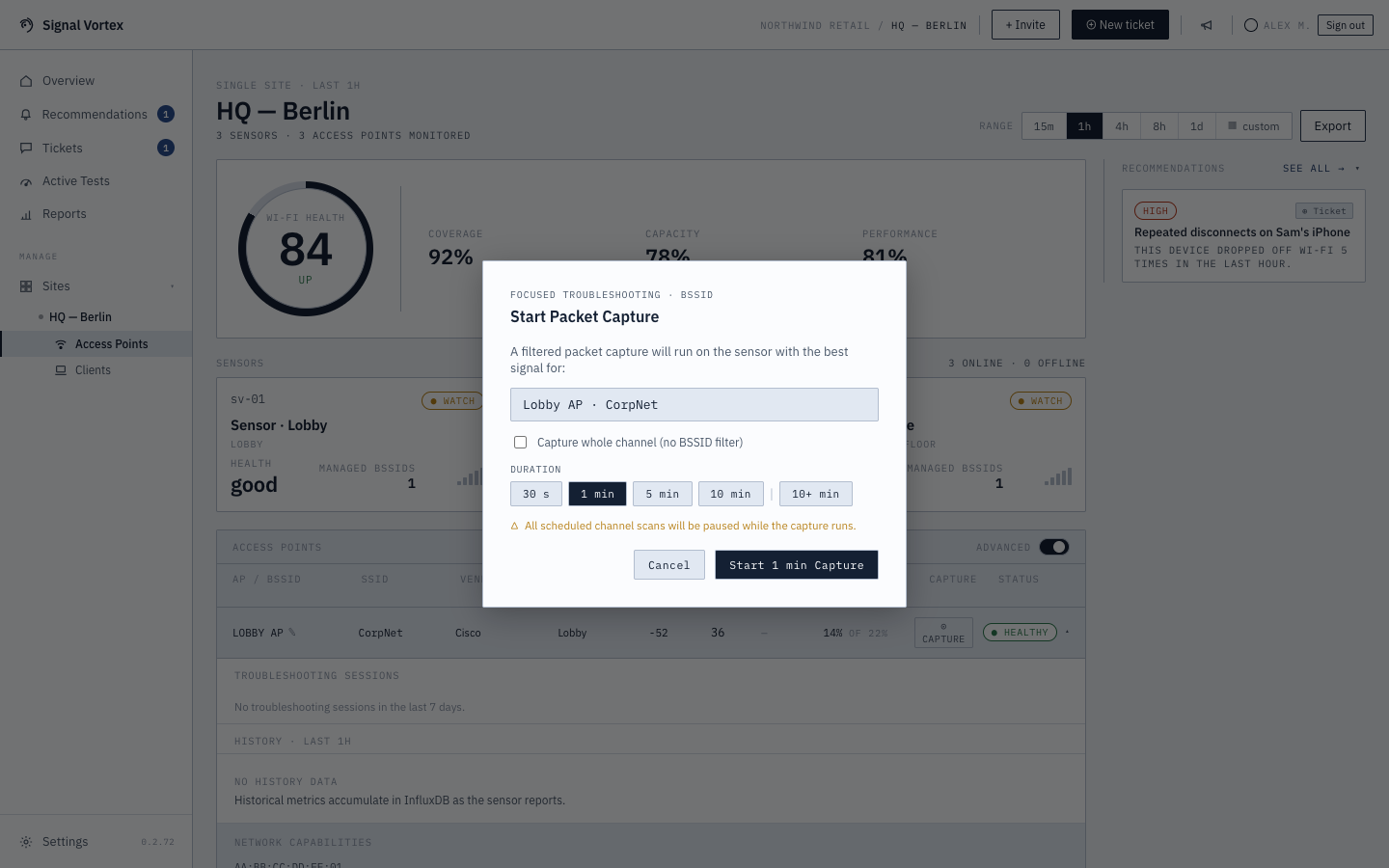
- Confirm — see the target MAC, choose a duration (30 seconds / 1 / 5 / 10 minutes), and note that scans pause on that sensor while it runs.
- For an AP, you can tick "Capture whole channel (no BSSID filter)" to record everything on that channel rather than just traffic to/from the one AP — useful when you're not sure which BSSID is actually involved. This runs on whatever sensor is available, not necessarily the best-signal one for that specific AP.
- For a client, if your Admin has enabled it (see System, Language and Security), you can tick "Force reconnect to capture the encryption handshake" — this briefly disconnects the device from Wi-Fi so it reconnects during the capture window, guaranteeing a fresh handshake to decrypt. The device will visibly drop off Wi-Fi for a moment.
- Conflict (if the target sensor is already busy) — choose to cancel the existing capture and start yours immediately, schedule yours to run right after the current one finishes, or dismiss.
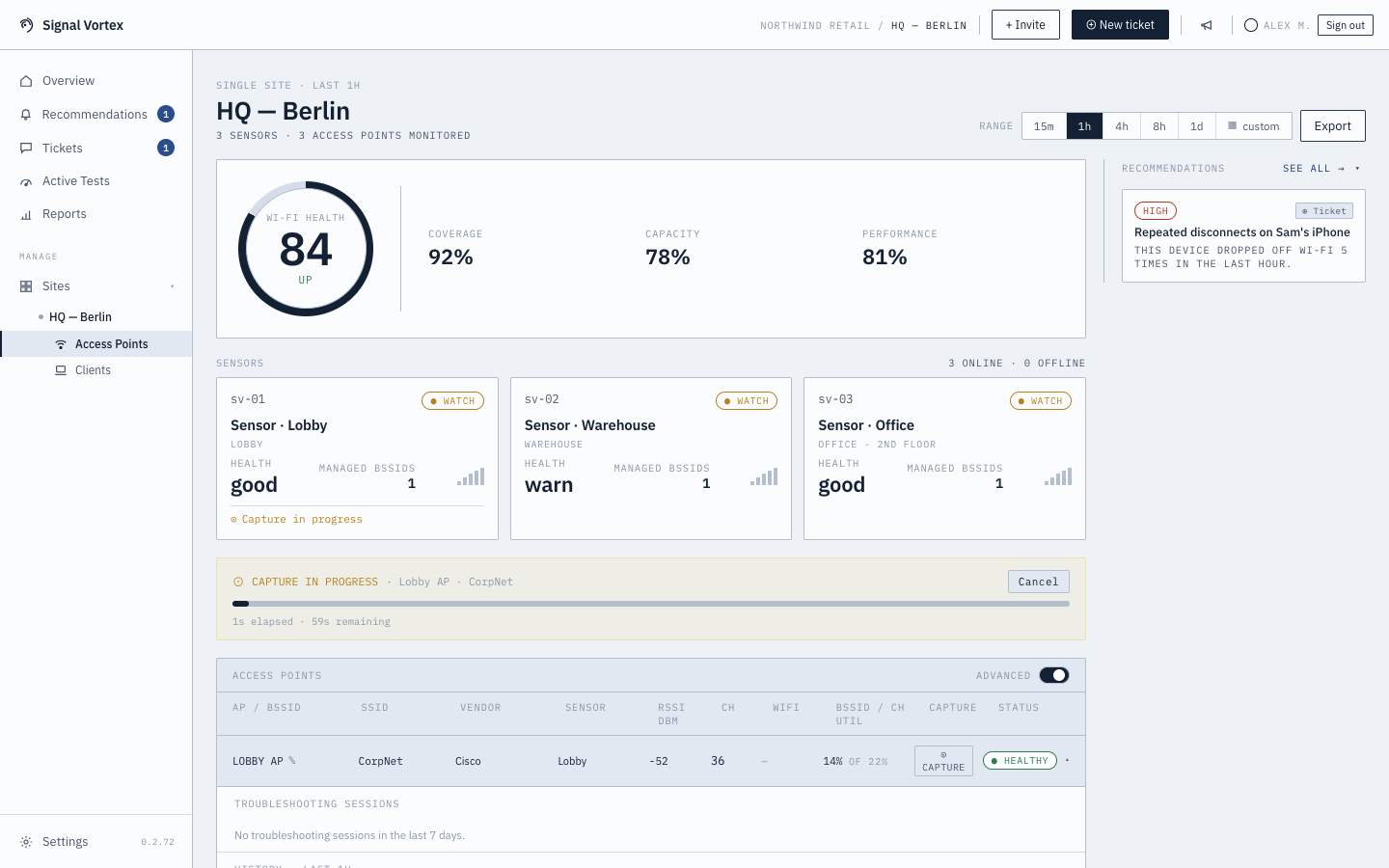
- Once started, the confirmation dialog closes and progress is shown directly on the Dashboard/Clients screen — an elapsed/remaining timer, and a transfer progress bar while the capture is being uploaded.
After it finishes
You'll see the Capture Analysis results, plus a Download .pcap button if you want the raw capture file yourself. You can delete a finished analysis at any time.
Why it matters
This is the tool for "I need proof of what's happening on this exact AP/client, right now" — short, targeted, and analyzed automatically within a minute or two of finishing.